 eReader Relay
Billing
Review plan status and manage a subscription through Stripe.
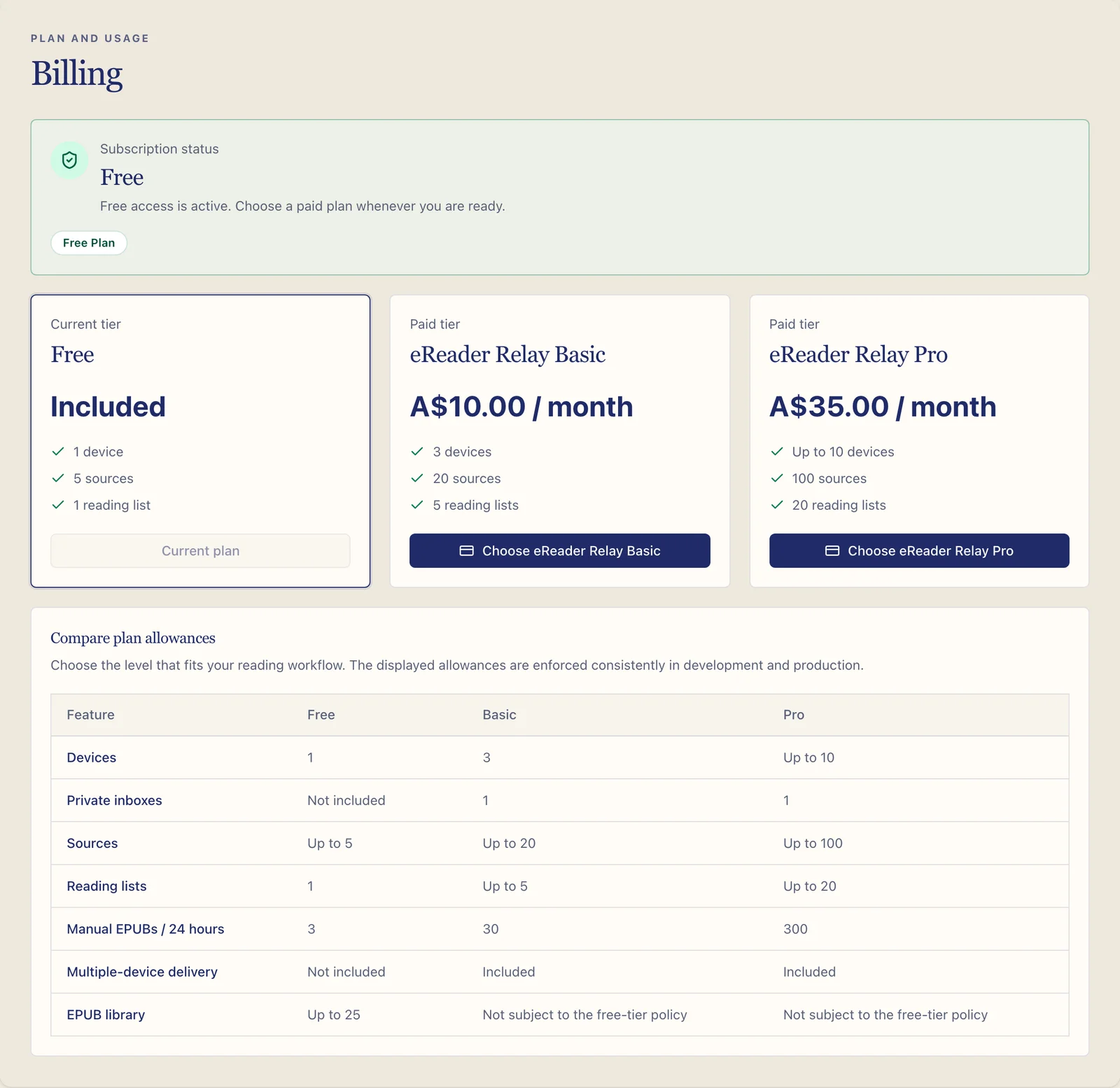
The Billing page shows the current plan, subscription status, and applicable renewal or cancellation information. Payment details are handled by Stripe rather than stored directly by eReader Relay.
Review the current subscription
Open Billing to see the account's configured plan and status. The product currently exposes Free, Basic, and Pro tiers.
Subscribe or change billing
Use the embedded Stripe flow shown on the Billing page. Follow Stripe's confirmation screens for payment and billing details, then return to eReader Relay and refresh if the new status is not yet visible.
Cancel or keep a subscription
Use the available cancellation action to review the effective date before confirming. If a pending cancellation can still be reversed, the page offers an action to keep the subscription.
Complimentary access
Some test, support, or partner accounts may be given complimentary Basic or Pro access. This does not create a Stripe subscription and does not require payment details. The Billing page labels the access as Complimentary and shows either its expiry date or No expiry.
While a complimentary grant is active, paid checkout is disabled so the account cannot accidentally start a second, paid entitlement. If the account already has a paid subscription, resolve that subscription before asking support to apply complimentary access.
Feature limits
The Billing page and feature comparison show the current tier-by-tier allowances. Creation limits are checked on the server with the account's effective subscription or complimentary tier. Manual EPUBs use a rolling 24-hour allowance; scheduled editions do not consume it.
Reaching a plan allowance does not delete existing content. The attempted action is declined with the applicable limit and an upgrade or cleanup suggestion. The same rules are hard-enforced in local development, the shared development environment, and production.
For delayed status changes or checkout errors, see Account and billing troubleshooting.